

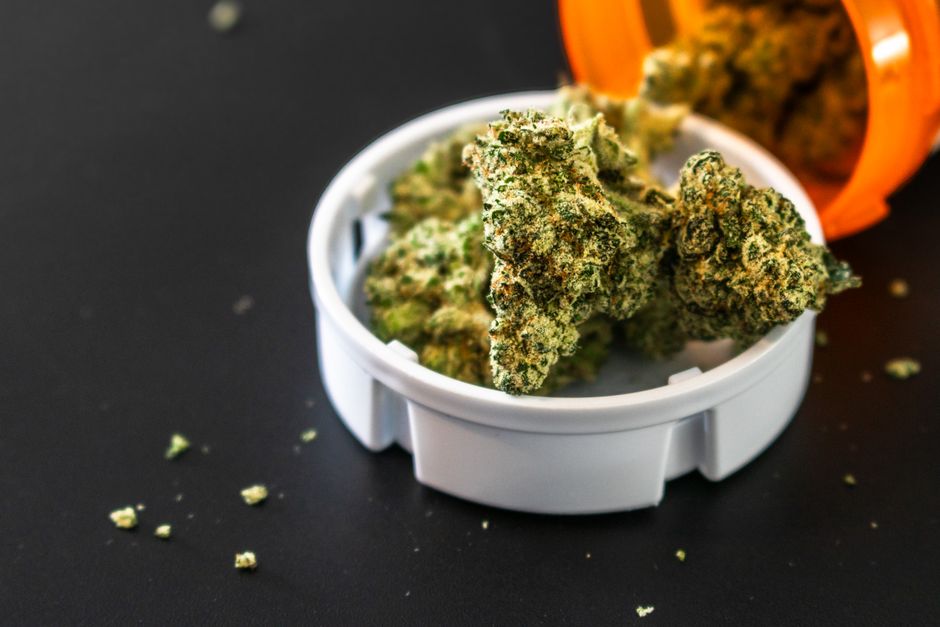
High THC Weed: Who It’s For and When to Go Lower
High THC weed can help some patients, but it’s not always best. Learn THC tolerance, high THC cartridges, and safer options.

GrowHealthy pay by bank is one of the easiest ways to check out when you do not feel like carrying cash, and it sits alongside a few other payment options that are simple once you know what to expect. If you have ever walked into a dispensary and wondered, “Okay, what actually works at the register?” you are not alone. Medical cannabis has a different payment setup than typical retail, so a quick plan before you arrive can save you time.
This guide breaks down the ways you can pay at GrowHealthy, including GrowHealthy pay by bank, CanPay, debit through a cashless ATM dispensary system, and cash. You will also get a heads-up on fees, rounding, and a few practical tips that make pickup or delivery day smoother.
Pay by Bank is a direct-from-your-checking-account option. At checkout, you confirm the payment through a quick verification step and the funds move electronically. The nice part is that it is usually an exact total, so you are not dealing with the “rounded up” amounts that sometimes happen with debit in cannabis.
If you are picturing something complicated, it is usually closer to paying a utility bill from your bank than anything else. Your first time may take an extra minute or two while you get set up, but after that it tends to be pretty painless. If you want a plain-English walkthrough of how pay-by-bank works in dispensaries, you can read Paybotic Financial’s explanation of pay by bank at dispensaries.
If you are asking does GrowHealthy accept CanPay, the short answer is yes at many locations. CanPay is popular with Florida medical cannabis patients because it is tied to your checking account and typically charges the exact total. In other words, it often feels like a straightforward debit purchase without the surprise math.
CanPay also lists GrowHealthy as a participating dispensary in their own write-up, which you can check out here: Does GrowHealthy accept CanPay?. If you shop around Florida, CanPay can be convenient because you may be able to use it at multiple dispensaries that support it.
If you prefer to use a physical card, GrowHealthy also accepts debit through what is often called a cashless ATM dispensary system. Practically speaking, you swipe or insert your PIN-enabled debit card and enter your PIN. Behind the scenes, the transaction can be routed through ATM-style networks, which is why it may show up on your statement more like a cash withdrawal than a typical store purchase.
The detail that catches people off guard is rounding. Some cashless ATM systems run the transaction in set increments, so your total may round up to the nearest dollar or to a higher increment like $5. If your total is $42, it might process as $45. Depending on the location and setup, you may receive the difference back as change. If you want a broader overview of why cannabis payments look different and how point-of-banking systems work, Green Check Verified’s cannabis payments overview is a helpful read.
Cash is still the most universal option, and it is hard to beat for simplicity. What you hand over is what you pay. No apps, no logins, no “why does my statement look like that?” moments. The downside is convenience, especially if you need to stop at an ATM first.
If you are coming in on a deal day or you think you might swap something at the counter, bring a little buffer. You can also price things out ahead of time by checking the current menu and building your cart on the GrowHealthy online shop.
In most cases, you can count on cash, CanPay, and debit through a cashless ATM system, and GrowHealthy pay by bank is being rolled out as another digital option. For the most up-to-date guidance tied to store processes, you can also review the payment methods listed within GrowHealthy Priority Pick-Up details. Since payment tech can change and availability may vary by location, it is smart to bring a backup option.
What you should not plan to use is a traditional credit card. Because medical cannabis is still illegal at the federal level, most major credit card networks do not allow standard credit card processing for these purchases. That is why dispensaries rely on alternatives like pay by bank, CanPay, cashless ATM debit, and cash.
If you want your visit to feel easy, decide on your payment method before you walk in. If you are using a digital option, set it up while you are on your couch, not while you are balancing your phone and ID at the counter. And if you are picking up an online order, make sure you are ordering directly through GrowHealthy, since online orders can only be placed on our website.
If delivery is easier for your schedule, GrowHealthy offers statewide delivery in Florida with limited exceptions. Delivery is free and requires a $75 minimum purchase. You can review the current rules and how ordering works on GrowHealthy delivery.
If you are newer to the program, it helps to know that Florida’s medical cannabis rules are managed through OMMU, and they can affect things like purchasing limits and how products are tracked in the registry. When you want the official source, use OMMU Rules and Regulations for the most current information.
If you are still working on getting your Florida State Issued Medical Card, you can also read a straightforward overview of the steps at how to get a medical marijuana card in Florida. Once you are shopping, it is worth checking GrowHealthy discounts so you know what savings you can use, including first-time patient offers.
Does GrowHealthy accept CanPay?
Yes. CanPay is accepted at many GrowHealthy locations. It is linked to your checking account and typically debits the exact total.
What is GrowHealthy pay by bank?
GrowHealthy pay by bank lets you pay directly from your bank account through a quick verification flow at checkout. Many patients like it because it is digital and usually processes for the exact amount.
What is a cashless ATM dispensary debit transaction?
It is a PIN-based debit payment that can be routed through ATM-style networks. The charge may look like a withdrawal on your statement, and it may round up to a set increment.
Why did my debit total round up?
Some cashless ATM systems process transactions in preset increments. Your total may round up, and depending on the location setup you may receive change back.
Can I use a credit card at GrowHealthy?
Typically, no. Traditional credit card processing is generally not available for medical cannabis purchases due to federal banking restrictions.
What if I am not sure which payment method will work at my location?
Show up with a backup. If you plan to use Pay by Bank or CanPay, set it up ahead of time. It is also smart to keep cash or a PIN-enabled debit card available just in case.
If you want a checkout that feels modern and exact, GrowHealthy pay by bank or CanPay are great options when available. If you prefer to use your debit card, the cashless ATM system can work well as long as you are ready for possible rounding. And if you want the simplest fallback every time, cash still does the job.
When you are ready to shop, you can place your order directly on GrowHealthy.com, then choose Priority Pick-Up or delivery based on what fits your day. If you have questions at any point, ask your GrowHealthy team in-store. Helping you feel comfortable and informed is part of the experience.

High THC weed can help some patients, but it’s not always best. Learn THC tolerance, high THC cartridges, and safer options.

Cannabis topical basics: THC cream vs CBD topical, how they work, and when patients choose topicals for pain without intoxication.
GrowHealthy patient care policy explained: dispensary rules, Florida patient requirements, IDs, safety standards, and smoother visits.